home
  • Blog
6.10
  • Introduction
  • Getting Started
  • Tutorial
  • Core Concepts
  • Components
  • Routing
  • Services
  • EmberData
  • In-Depth Topics
  • Application Development
  • Application Concerns
  • Accessibility
  • Configuration
  • Testing
  • Addons and Dependencies
  • Using TypeScript
  • Developer Tools
  • Build Tooling
  • Ember Inspector
    • Introduction
    • Installing the Inspector
    • Object Inspector
    • The Component Tree
    • Inspecting Routes
    • Data Tab
    • Tackling Deprecations
    • Library Info
    • Debugging Promises
    • Inspecting Objects via the Container
    • Rendering Performance
    • Troubleshooting
  • Code Editors
  • Additional Resources
  • Upgrading
  • Contributing to Ember.js
  • Glossary

Library Info


The Info tab shows some of the libraries used in your application, along with their version.
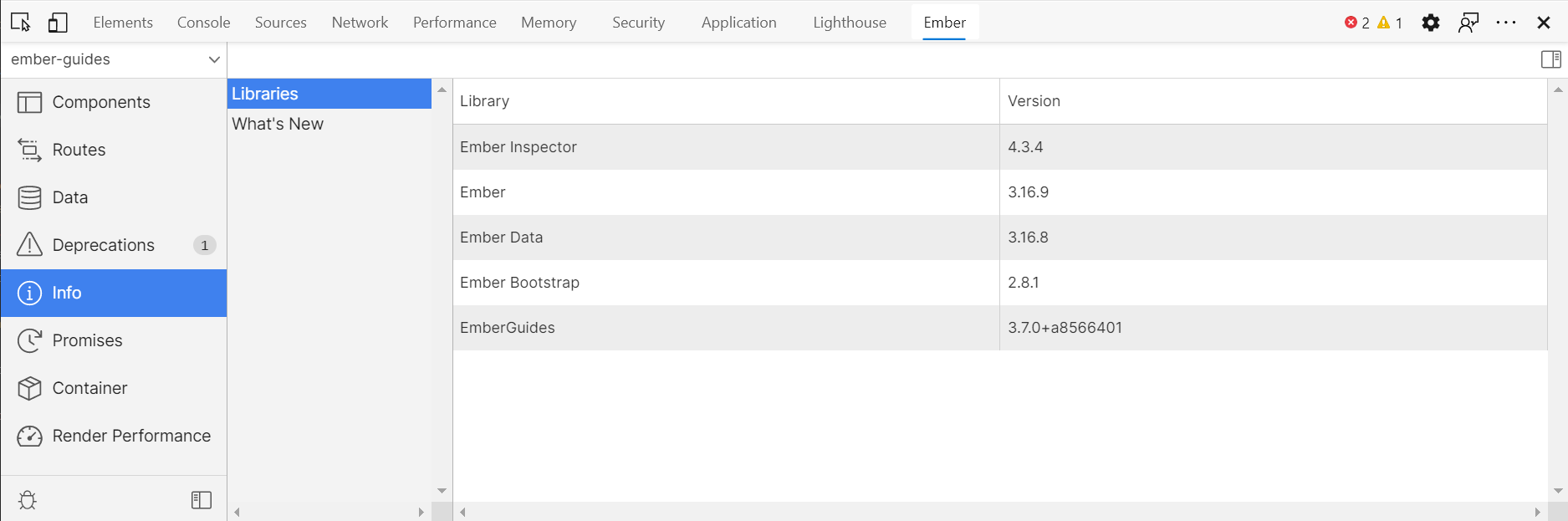
If you're using the ember-cli-app-version addon, your application's name and version will be added to the list automatically.

Libraries only appear in this list if they manually register themselves with Ember. So we don't recommend relying on this tab anymore, it's better to use any tool that's designed to analyze your package.json instead.

left arrow
Tackling Deprecations
Debugging Promises
right arrow
Team Sponsors Security Legal Branding Community Guidelines
Twitter GitHub Discord Mastodon

If you want help you can contact us by email, open an issue, or get realtime help by joining the Ember Discord.

© Copyright 2026 - Tilde Inc.
Ember.js is free, open source and always will be.


Ember is generously supported by
blue Created with Sketch.